

Vending Block
Vending Block · shop block · Tradery · updated in 1.1.0
A vending block holds one offer: a number of one item for a price. It sells while you're online, offline or on the other side of the map.
Setting it up
- Place the block. It turns to face you, and you are its owner.
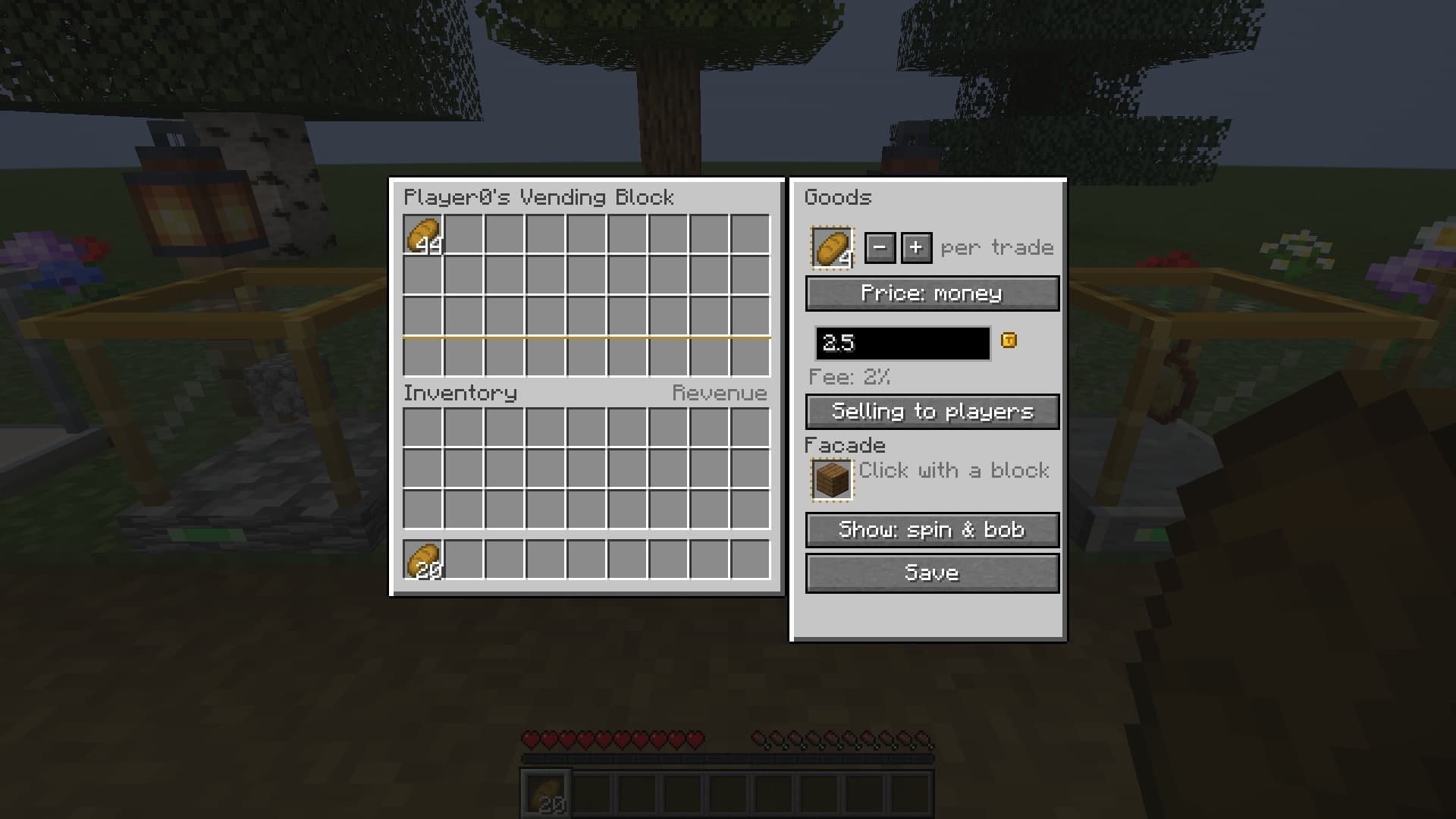
- Right-click it to open the owner screen.
- Click the "Goods" slot with the item you want to sell. The slot keeps a copy and your item stays with you. The − and + buttons set how many go in one trade, from 1 to 64.
- Leave "Price: money" and type an amount. Or switch to "Price: items" and click the price slot with the item you want in return.
- Put the stock into the 27 slots on the left and press "Save".
While the block is set up and has stock, the strip on its front is green.
Money or items
With a money price, each sale puts the price on your balance at once, minus a 2% fee. The fee isn't paid to anyone, it is destroyed.
With an item price, the payment collects in the 9 "Revenue" slots. When they fill up, the block stops selling and tells you: "Your vending block at … has no room for payment and stopped". Coins work as a price item like anything else.
Items are compared exactly, with their name, enchantments and damage. A renamed or enchanted sword is not a plain sword, neither as goods nor as a price.
Buyback
The button "Selling to players" switches the block to "Buying from players". It then buys the goods from other players with your money, for as long as you can pay and the stock has room. Buyback needs a money price.
Buying
Right-click someone's block for the buyer screen with "Buy ×1", "Buy ×8" and "Buy max". At a buying block the buttons are "Sell ×1", "Sell ×8" and "Sell all".
Quick trade skips the window. Sneak + right-click buys one trade from a selling block, sneak + left-click sells one to a buying block. Hold the button and it repeats, about five trades a second. Whatever you hold isn't placed, and the vending block isn't mined. The line above the hotbar adds the run up: "Bought 20 × Bread for 12.50".
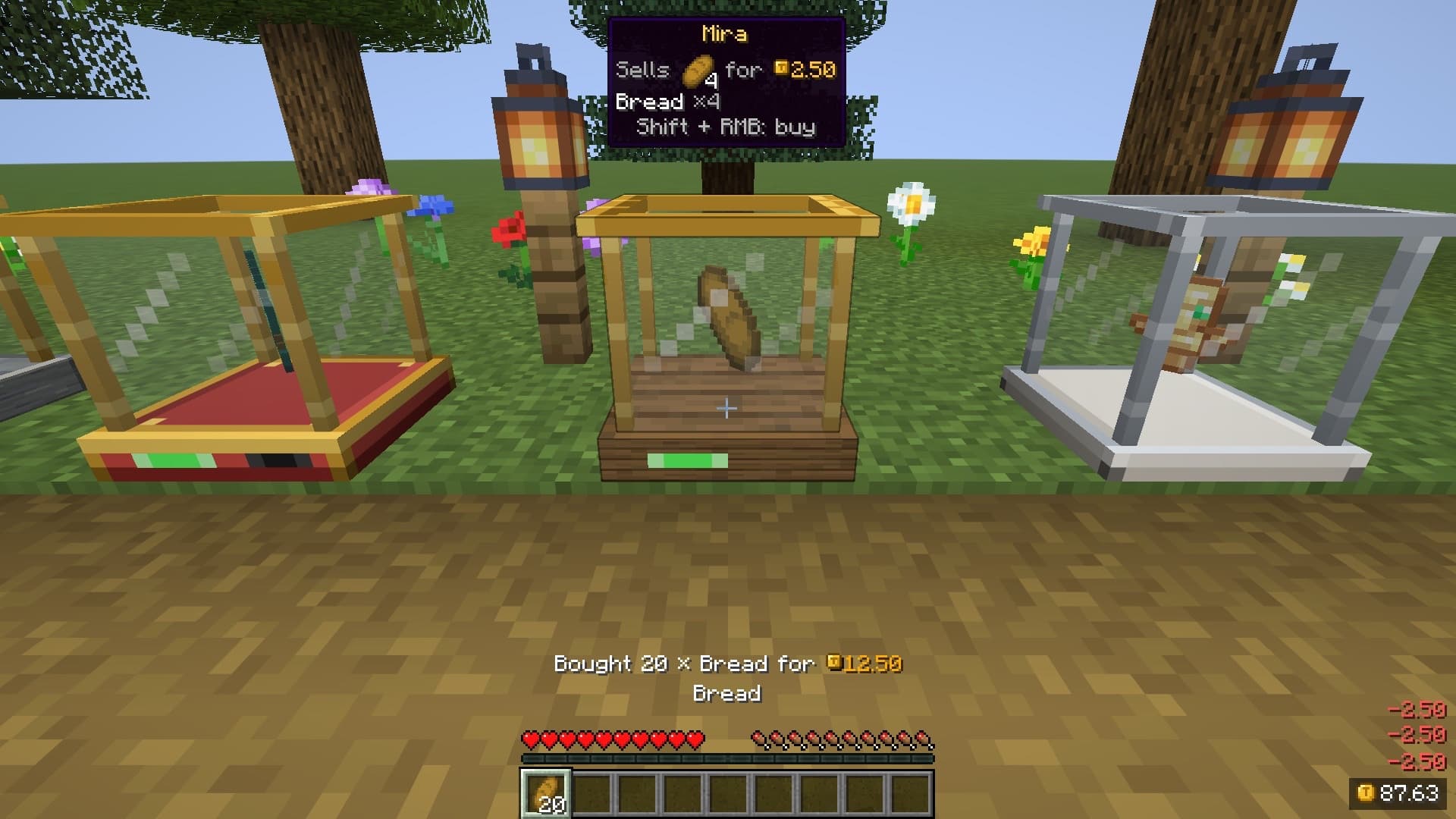
You can't trade with your own block. As the owner, sneak and right-click with an empty hand to open the buyer screen and see what customers see.
A trade needs you within 8 blocks, and the server accepts 10 trade requests a second from one player.
The hint
Looking at a vending block puts a card at the top of the screen: the owner, "Sells … for …" or "Buys … for …", and the keys. If no trade is possible it gives the reason, such as "Sold out" or "Not set up yet". Hold sneak and the card adds the items' names and up to six lines of their tooltips: enchantments, potion effects, durability.
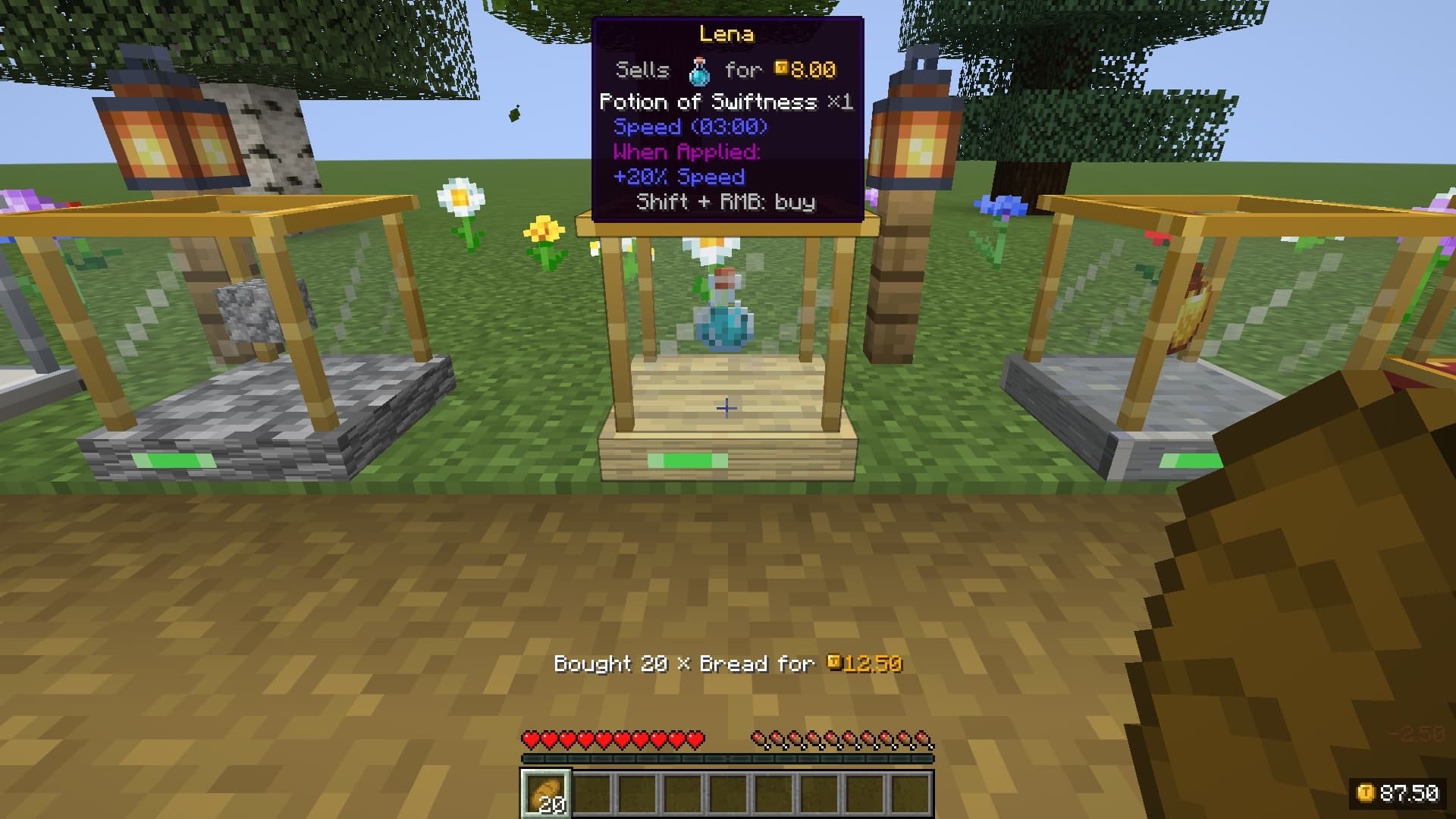
With Jade or WTHIT installed the hint is off, because they show the same lines. See compatibility.
Looks
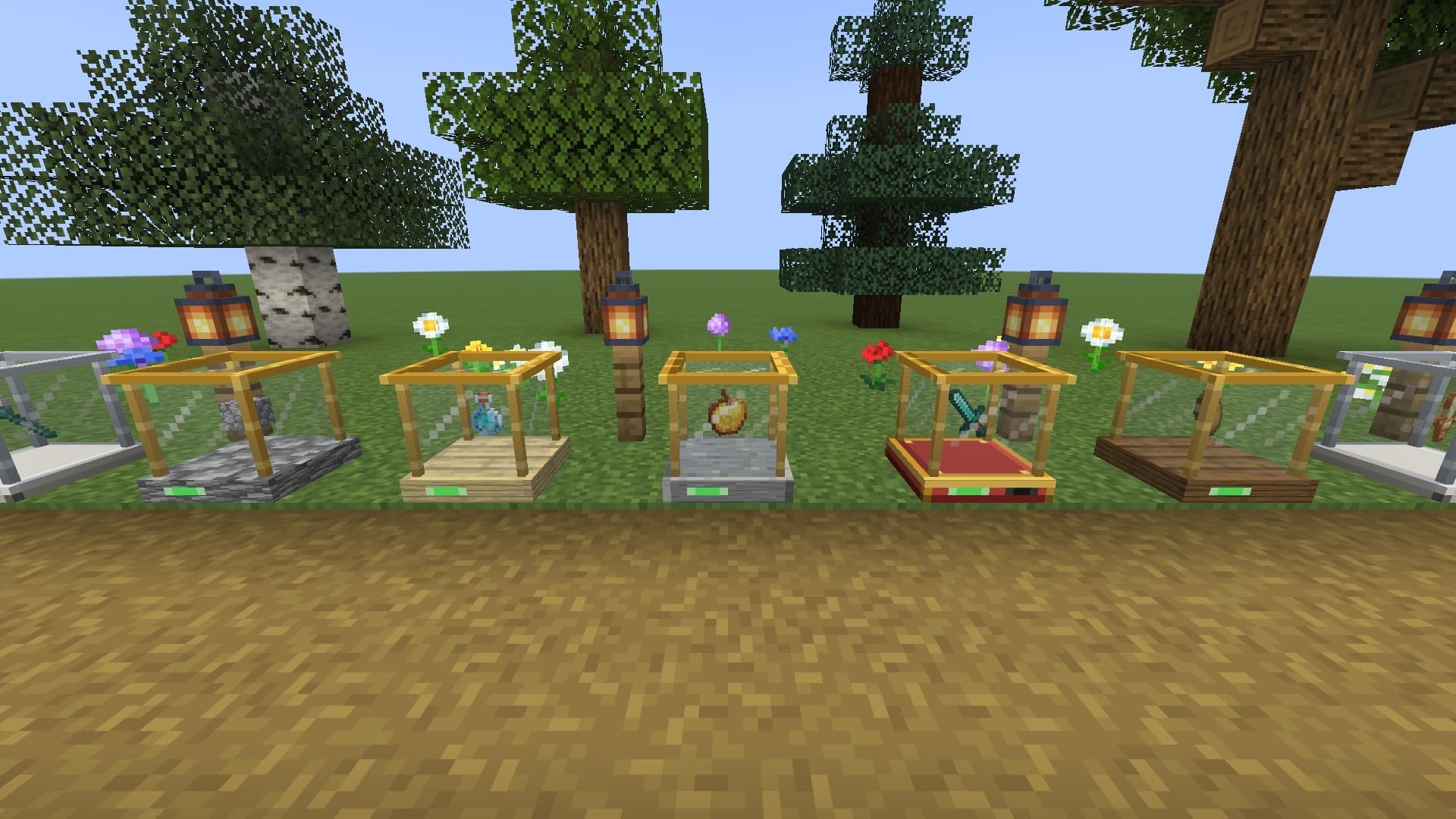
Click the "Facade" slot with a full block and the base of the vending block takes its look. Only plain full cubes work: nothing with its own inventory or an unusual model. The "Show" button picks how the goods move: spin, bob, both (the default), stand still, or hidden.
Protection
Only the owner can break a vending block. An admin with the permission tradery.admin.vendors can break it too, but only while holding the Vendor Key. Explosions don't destroy it and pistons don't move it.
Hoppers and pipes can't reach the stock or the revenue. For automation there is a separate block, the Trade Crate.
While you're away
Online, you get a chat line for every sale. When you join, one line sums up what happened: "While you were away: … sales, …", followed by the latest 5 messages. The server keeps up to 100 of them.
Villagers
A block that sells for money has the button "Villagers can buy: yes", and a buyback block has "Villagers can sell: yes". Both are on from the start and apply when you press "Save". What villagers do with them is under villagers.
Limits
- A server can cap how many shops one player owns (
vending.maxPerPlayer). Vending blocks, market counters and trade crates count together. - Bedrock can't be sold or asked as a price by default (
vending.itemBlacklist). The Vendor Key can never be sold.
Crafting


 Glass × 3
 Chest × 1
 Gold Ingot × 3
Crafting table.