
Config and server commands
Krylix Configuration · reference · Krylix
The settings are in config/krylix.json5. The client and the server read the same file: seven options are the client's, one is the server's.
In game the screen is called Krylix Configuration. On NeoForge it's under Mods → Krylix → Config. On Fabric the button comes from Mod Menu, and without Mod Menu you edit the file.
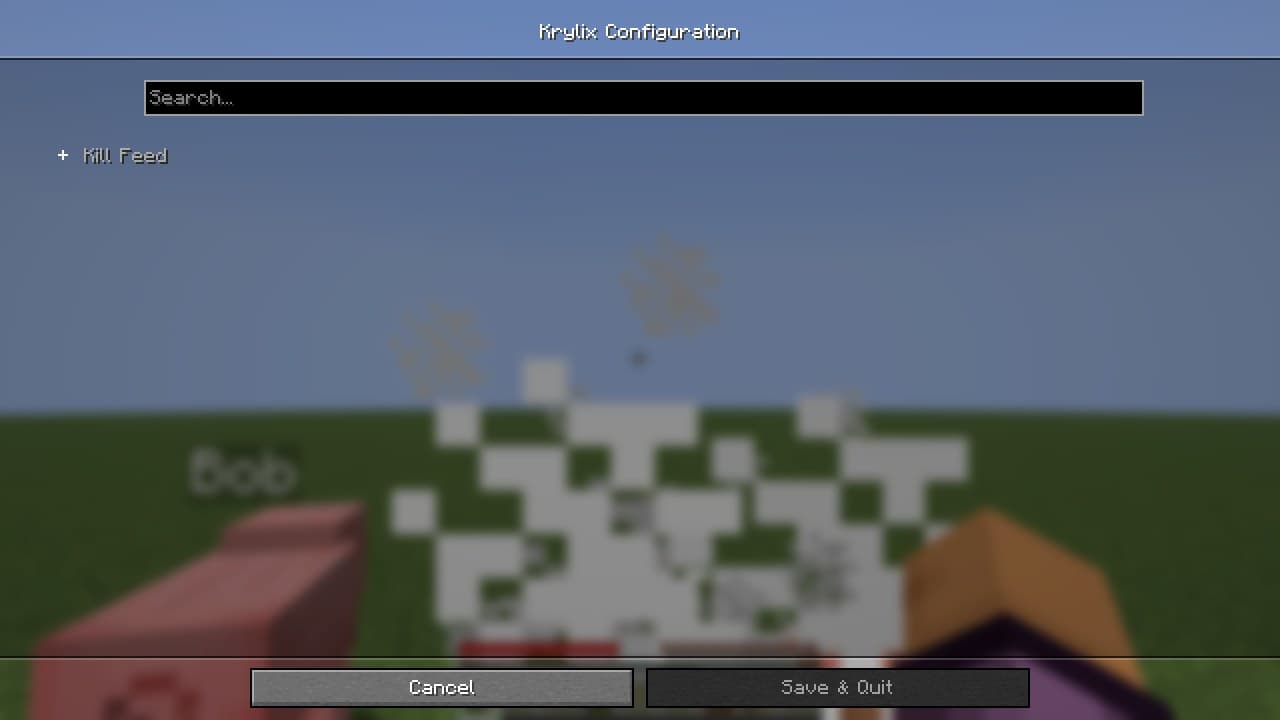
Options
All eight sit inside one object named config. Defaults are in brackets.
displaySeconds(15): how long a kill feed row stays, 1 to 300 seconds. The last second is the fade.maxEntries(5): how many feed rows fit at once, 1 to 20.killFeedEnabled,mobStatsEnabled,healthIndicatorEnabled(alltrue): the switches behind the K, J and H keys.mobStatsMaxEntries(8): rows in the mob panel, 1 to 50.healthBarStyle(HEARTS): alsoBLOCKS,ASCII,DOTSorNUMBER_ONLY. The health plates page shows each one.restrictBroadcastToSameDimension(false): the server's option. Withtrue, a feed row goes only to players in the victim's dimension.
If you type a number outside its range into the file, it is pulled back to the nearest allowed value on load. The mod has no reload command.
Server commands
/krylix needs operator level 2. The mod checks the vanilla level and nothing else.
/krylix togglestops the feed for everyone, or starts it again. It answersKill feed: OFFand tells the other operators. The switch is not saved: after a restart the feed is on. Statistics and death recaps carry on either way./krylix statusprints whether the feed is on and how many players have saved statistics.
An operator whose client lacks the mod gets these answers in English.
Before 1.3.1 any player could run /krylix toggle. On a server that stays on 1.1.0, or on 1.2.0 for Fabric or NeoForge, they still can. The Forge build of 1.2.0 already checks for an operator.
What the server stores
Kills, deaths and mob kills per player, all-time. They live in the world save, in the overworld's data, under the id krylix:player_stats, and the game saves them together with the world. Copy the world folder and the numbers come along. Besides that the mod writes only its config file.
There is no command to reset the statistics or to remove one player from them.