

Wearing a hive
Wearing a hive · mechanic · Bee Mastery
The Portable Hive is a Bee House in your chestplate slot. Forestry's own beekeeping logic runs inside it, so the bees behave as they do in a block. The one difference is that this block walks.
Starting it
- Right-click with the hive in your hand to open it.
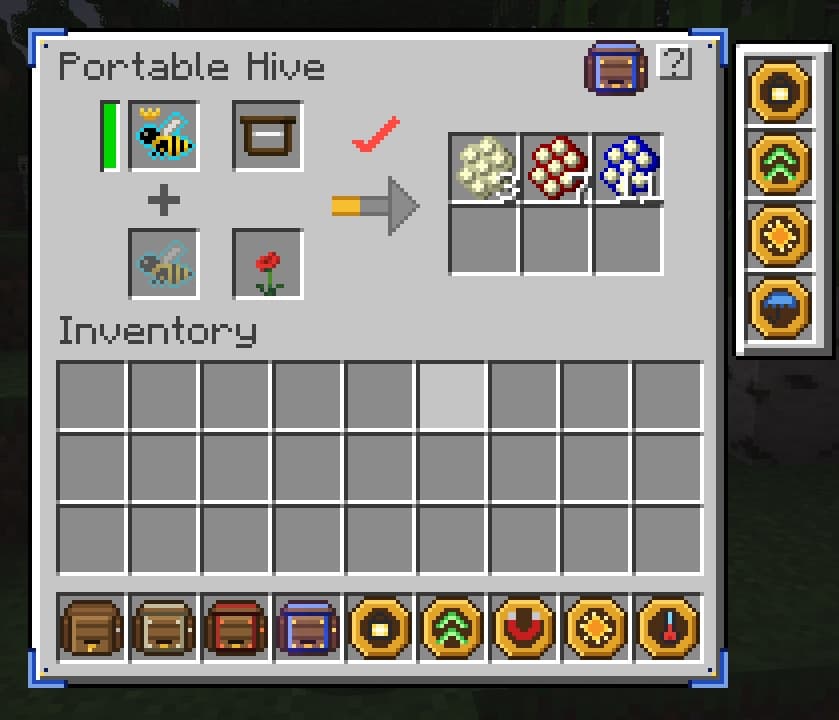
- Put a queen into the top left slot. Or put a princess there and a drone below her: they mate into a queen.
- Sneak and right-click to put the hive on. The bees work only while it is in the chestplate slot. Opened from the hand, the hive says "Not working".
- While the hive is worn, press B to open it. The key can be changed in the controls, category Bee Mastery.
What it reads
Biome, temperature, humidity, light, open sky and rain are taken at the spot where you stand. Walk into another biome, and the hive is in that biome. It re-reads the climate and the flowers once you have moved more than 4 blocks.
When the bees stop, the icon above the arrow shows the reason, and hovering it gives Forestry's own explanation: too hot, raining, no flowers. The arrow fills while the bees work. The bar next to the queen is her remaining life, or the mating progress when a princess sits there.
Flower slot
The bees look for flowers around you, as they would around a block. A suitable flower in the flower slot replaces that search. The faded icon in the empty slot shows what the current queen accepts: a Poppy for Forest bees, Nether Wart for Nether bees.
There are two limits. Some Forestry flower types are tied to a biome, and then the slot works only in that biome. And for bees that want daylight where others want a plant, there is nothing to put into the slot.
Slots
The hive has 14 slots: queen or princess, drone, frame, flower, six for products and four for modules. The frame slot takes any Forestry frame, the 19 frames of this mod included. Product slots only give items out. When all six are full, the bees stop.
Panel and particles
While the hive is worn, a panel in the top left corner shows the queen, her bar, the status icon and the status text. It hides with F1 and on the debug screen.
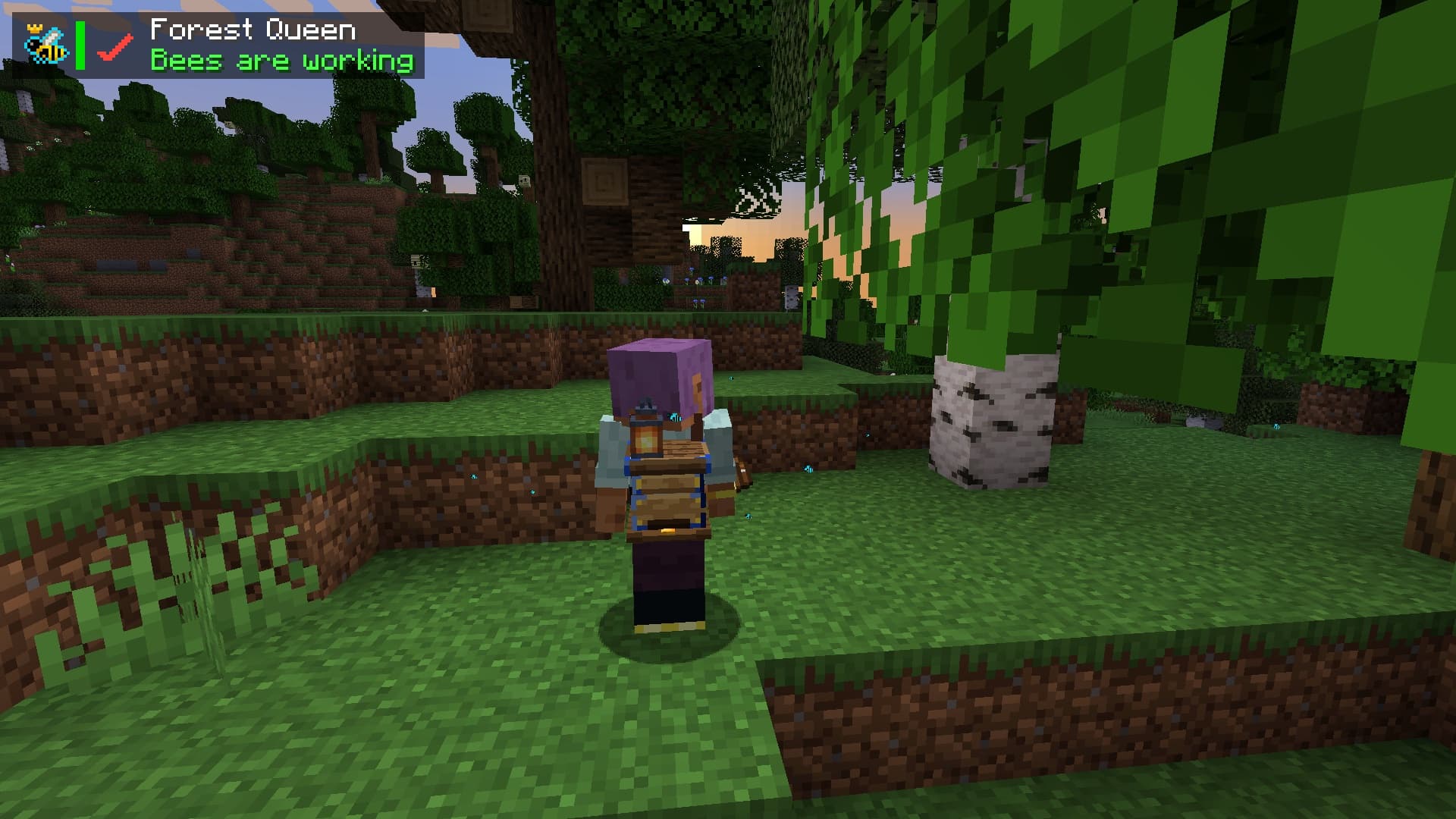
Bees fly out of a working hive, and other players see them too. Both are client settings. On 1.21.1 they are behind the Config button in the mod list, on 1.20.1 they are in the file config/beemastery-client.toml:
show_hud: the panel, on by defaulthud_corner:TOP_LEFT,TOP_RIGHT,BOTTOM_LEFTorBOTTOM_RIGHTbee_particles: bees around worn hives, yours and other players'
Your own bees
Forestry has bees that attack, irradiate, set things on fire and explode. While own_hive_protection is on, and it is on by default, the effects of the bees in your own hive do not reach you: damage is cancelled, harmful potion effects are not applied, fire goes out, a teleport is undone and a creeper blast skips you. Other players' hives and block hives hurt as before.
Speed
A Basic hive works at 25% of the bees' own speed, the same as Forestry's Bee House. Reinforced has 35%, Draconic 50%, Legendary 75%. The server can set each number from 0.0 to 10.0 in serverconfig/beemastery-server.toml, section portable_hive, keys speed_basic, speed_reinforced, speed_draconic and speed_legendary. Defaults for a modpack go into defaultconfigs/.
What it cannot do
- It does not work from the inventory, a chest or the hand. Chestplate slot only.
- On 1.21.1 it does not pulse auras.
- It has no armour of its own: 0 defence. If you need armour, build a chestplate into it.